


 Select your city
 Login
Login
 Select your city Login


 16 Apr 26
 by Shahid Iqbal
 0 Comments
Waking up to find your iPhone 16e's battery draining overnight is frustrating, but is it a problem? Your smartphone will lose 1% to 3% of its charge overnight while idle. In stark comparison to this, a 15% to 20% drop while the phone was untouched signals a distinct problem.
So, why is your battery draining so fast? Several culprits could be at play, such as background apps or declining battery health on your iPhone. The good news? You can fix most cases of iPhone battery draining fast without professional help. This piece will show you how to save battery on iPhone 16e and identify what's causing the drain. We'll also help you determine when battery replacement becomes necessary.
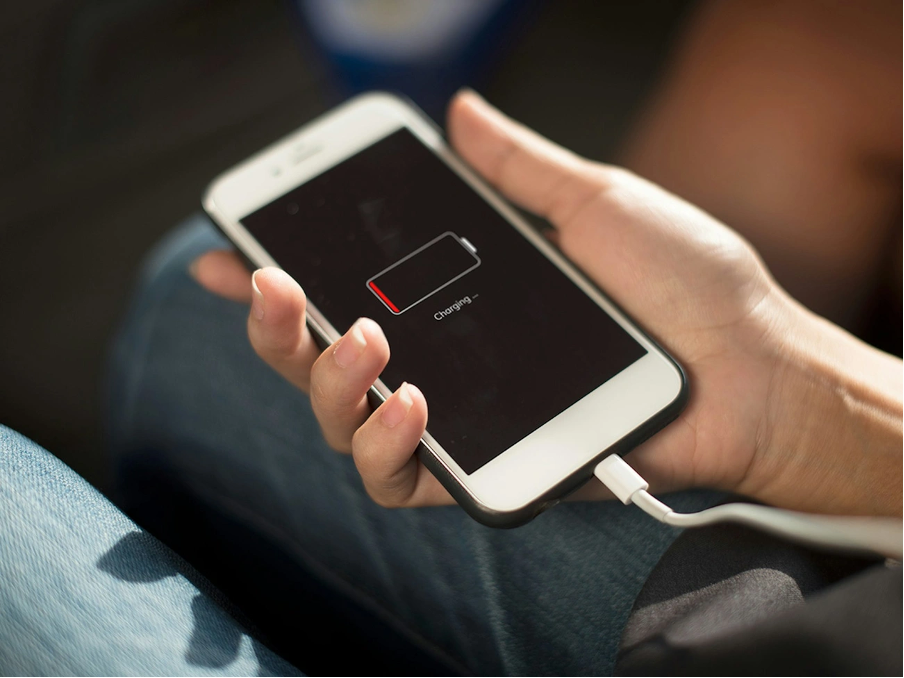
Image Source: Certo Software
Several factors contribute to iPhone 16e battery draining overnight, even when the device appears completely idle. These causes help you pinpoint the exact problem affecting your device.
Social media apps, messaging platforms and cloud backup services continue running tasks even when your phone sits untouched on the nightstand. These applications refresh data, download updates and sync information throughout the night. Multiple apps operating at once quietly consume battery power while the phone remains idle. Apple's battery monitoring system tracks this activity and labels it as "Background Activity" in your battery usage settings. Some users report substantial background usage even with Background App Refresh disabled. Apps like Snapchat show nearly 6 hours of background activity over 10 days.
A location with weak cellular coverage creates a major drain on battery life. The device searches for a stronger signal connection without stopping. Low mobile network coverage means continuous signal searching that reduces battery levels overnight. This issue appears as "No Mobile Coverage and Low Signal" in battery usage statistics and can account for 10% to 35% of daily battery consumption. The phone scans between 2G, 3G and 4G networks to improve signal strength.
Your iPhone performs housekeeping tasks at idle and connected to Wi-Fi. These processes include app updates, photo syncing to iCloud and system indexing for Spotlight search. Apple acknowledges that after an iOS update, certain background tasks continue and may affect battery life and thermal performance. These automated maintenance activities run without your knowledge. They can lead to noticeable overnight battery usage.
Location services, Bluetooth accessories and widgets that refresh keep your phone active in the background. Always-on display features drain approximately 0.8% per hour with wallpaper enabled and 0.6% per hour without wallpaper. Several of these features remaining enabled at once contribute to iPhone battery draining fast overnight.
Lithium-ion batteries lose their capacity to hold charge as they age. All rechargeable batteries are consumables with limited lifespan. Their capacity declines over time. Battery health that drops substantially means the phone loses power more quickly, even during idle periods. This chemical aging results from factors beyond just time. Charge cycles and temperature exposure play a role.
Diagnose whether software issues cause your iPhone battery to drain fast before you assume hardware failure. Apple has built-in diagnostic tools that reveal what exactly consumes power while you sleep.
Open Settings and tap Battery to access your battery diagnostics. Your iPhone displays when the battery was last fully charged and when you disconnected it from the charger. The Daily Usage graph shows your battery level throughout the day. You can spot sudden drops this way. Tap View All Battery Usage to view the battery usage percentage over the last eight days.
Scroll down to see the Battery Usage by App report. This breakdown identifies which applications consume the most power. Each app listing shows time spent on screen versus background activity. Therefore, if you notice apps like Mail or Music using substantial power while you're asleep, you've found your biggest problem. Your iPhone may also show insights about conditions or usage patterns that affect battery life and suggest ways to reduce energy consumption.
The Daily Usage chart compares your battery usage today against the previous seven days. A message indicates if you're using more, less, or the same amount of battery as usual. Below the chart, App and System Activity Usage shows the three apps that have used the most battery. Tap an app to display a chart showing battery usage compared with usage over the last seven days.
Pay attention to specific usage types. Background Activity means most of the app's battery usage happened while the app was active in the background. No Mobile Coverage and Low Signal indicates your device was searching for a signal, which affected battery life.
A smartphone drains its battery fast when it overheats. Battery replacement becomes appropriate if your phone feels hot and battery health is reduced critically.
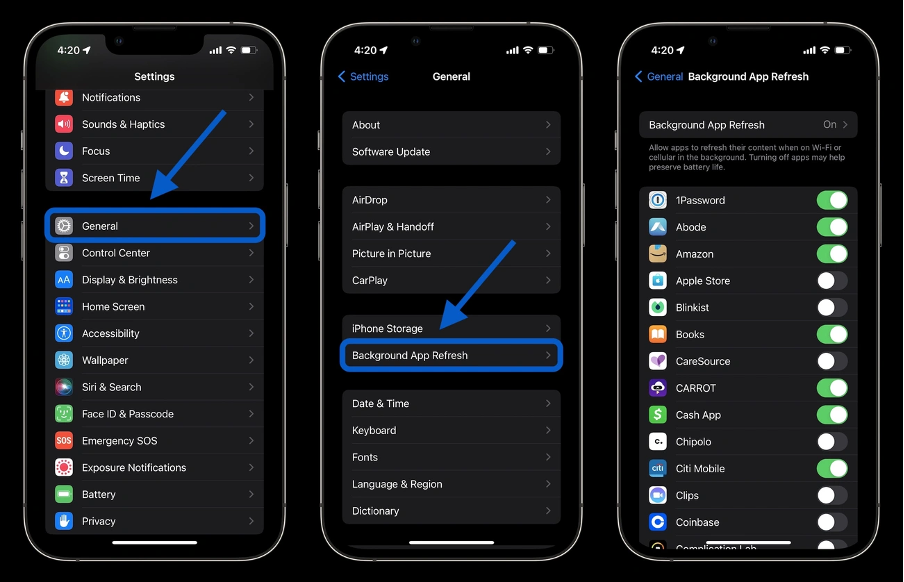
Image Source: 9to5Mac
Once you've identified why your battery is draining so fast, apply these fixes to stop iPhone battery draining fast.
A simple restart clears temporary memory and resets background tasks that drain power. Hold the Side button and either volume button until the shutdown screen appears. Swipe to turn off, wait one minute, then press the Side button to restart. Heavy users should restart once weekly while average users can do it every 10-14 days.
Go to Settings, select General, then tap Background App Refresh. Press Background App Refresh again and choose Off to stop all apps, or select Wi-Fi to limit refreshing to wireless connections. You can also scroll through the app list and disable the feature for apps you don't need updating all the time.
Wi-Fi connections use less power than cellular networks. Connect to Wi-Fi wherever possible, especially when signal strength is weak. Enable Airplane Mode for a while if you're in an area with no coverage to prevent constant tower searching.
Open Control Center and drag the Brightness slider down. Go to Settings, tap Accessibility, select Display & Text Size, then turn on Auto-Brightness for automatic adjustment. Screen dimming is one of the most effective ways to extend battery life.
You Don't Need Open Settings, choose Privacy & Security, then tap Location Services. Review each app and change permissions to "While Using the App" instead of "Always" for non-essential apps. This prevents continuous GPS usage in the background.
Software updates often include battery performance improvements. Go to Settings, select General, then tap Software Update. Enable Automatic Updates to install improvements when your phone is charging and connected to Wi-Fi.
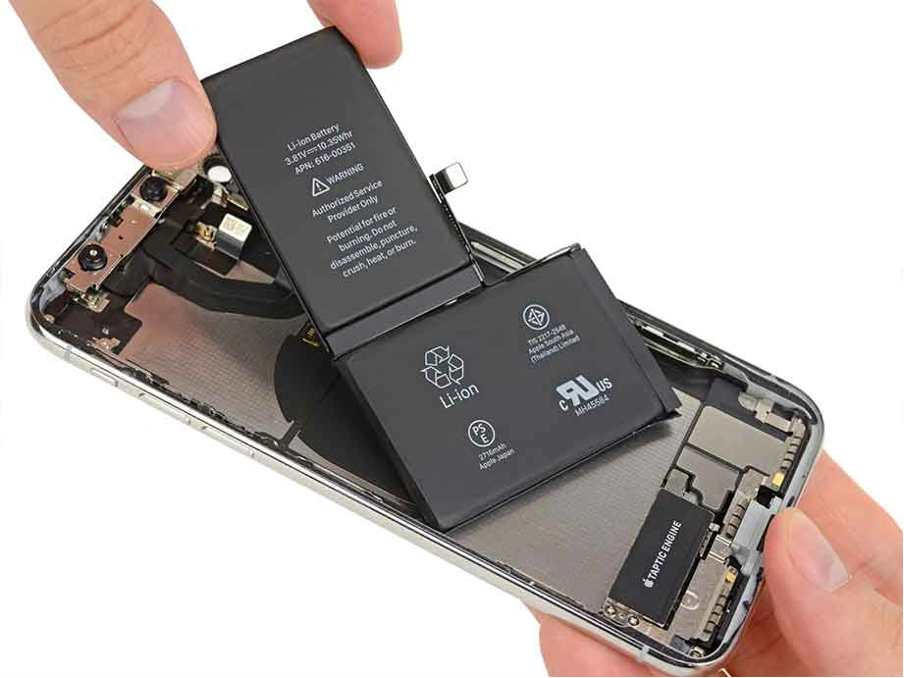
Image Source: Fixxo
Hardware replacement becomes the answer at the time software solutions fail to stop your iPhone battery draining too fast. Verify whether battery degradation causes the problem before scheduling service.
Go to Settings, tap Battery, then select Battery Health & Charging. The Maximum Capacity percentage shows your battery's current capacity compared to when it was new. Capacity between 100% and 80% indicates healthy battery status. Your battery has substantially degraded below 80%, resulting in fewer hours between charges and potentially slower performance.
iPhone 15 and newer models display Cycle Count in this menu. A cycle completes when you use 100% of battery capacity, though not necessarily in one charge. Most iPhone batteries retain 80% original capacity after 1,000 full charge cycles.
The Peak Performance Capability section reveals whether your battery handles demanding tasks. Normal performance displays "Your battery is currently supporting normal peak performance". You'll see a message stating performance management was applied to prevent future crashes if unexpected shutdowns occurred.
Battery replacement for iPhone 16e costs ₹6,499 at authorized service centers. Apple replaces batteries without charge if capacity drops below 80% under warranty. Professional replacement restores full performance and extends your phone's lifespan substantially compared to purchasing a new device.
If your iPhone 16e loses more than 3% battery overnight, these solutions will help you identify and fix the problem quickly.
Normal overnight battery drain is 1-3%, but if you're experiencing 15-20% drops, these software fixes typically resolve the issue without needing professional repair. Monitor your battery health regularly and apply these settings to wake up with a fully charged phone.
You now have all the tools needed to stop your iPhone 16e battery draining overnight. Most battery issues stem from software settings rather than hardware failure. Start with the simple fixes like disabling background refresh, switching to Wi-Fi and adjusting screen brightness. Monitor your battery health through Settings. If your capacity drops below 80% despite applying these solutions, battery replacement will restore your phone's performance. Take action today and you'll wake up to a fully charged iPhone tomorrow.
Yes, it's normal for your iPhone to lose 1% to 3% of battery overnight while idle. However, if you're experiencing a 15% to 20% drop without using the phone, this indicates a problem that needs attention.
Several factors contribute to overnight battery drain, including background app activity, poor cellular signal causing constant tower searching, system processes running during idle time, always-on features like location services and Bluetooth, and natural battery degradation over time.
Go to Settings > Battery to view detailed battery usage statistics. The Battery Usage by App section shows which applications consume the most power, including time spent on screen versus background activity. This helps identify apps running unnecessarily while you sleep.
Setting up your iPhone as a new device (without restoring from backup) can significantly improve battery life if software bugs are causing the drain. Many users report battery performance improving by two to three times after this process, though it requires manually reinstalling apps and reconfiguring settings.
Consider battery replacement when your Maximum Capacity drops below 80% in Settings > Battery > Battery Health & Charging. At this level, your battery has significantly degraded, resulting in fewer hours between charges and potentially slower performance. Battery replacement costs ₹6,499 at authorized service centers.


50000+ - Devices Picked

0 Comments