


 Select your city
 Login
Login
 Select your city Login


 20 Jul 26
 by Shahid Iqbal
 0 Comments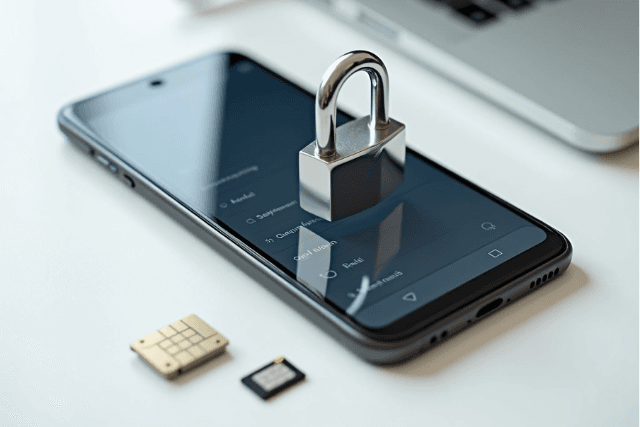
Identity theft expert Robert Siciliano bought 30 devices from Craigslist and found something alarming. He found bank account information, Social Security numbers, child support documents, and credit card logins on these supposedly "wiped" devices. What you need to delete before selling your phone is more critical than most people realize.
Here's the problem: a simple factory reset often fails to erase your data. Your messages and sensitive information could be restored by the new owner, and this could lead to privacy breaches or identity theft.
This piece shows you how to delete all data from your phone, including critical pre-deletion steps and complete wipe methods that go beyond simple factory reset options.
Researchers from the University of Cambridge studied 21 Android smartphones and uncovered a critical flaw in how the factory reset functions. They recovered credential information, installed apps, contacts, browsing history, WiFi settings, multimedia files, and conversations from these devices despite running a factory reset. The problem stems from how the reset process works at a technical level.
The system deletes encryption keys and removes pointers that tell your phone where files are stored when you perform a factory reset. The actual data blocks remain on the storage chip, marked as available space but not physically erased. This data sits dormant until new files overwrite it. This creates a recovery window where specialized tools can scan raw storage sectors and reconstruct your deleted files.
An analysis of secondhand mobile devices revealed that 35% still contained recoverable data after being reset and resold. Another study found that 42% of used storage devices sold on eBay contained sensitive data, including passport images and school records.
Factory reset also ignores several data storage areas. Your SD card remains untouched unless you select the option to wipe external storage. Cloud-synced data stays in your accounts, ready to sync when someone logs in. Your SIM card retains contacts and call history that the reset process never addresses.
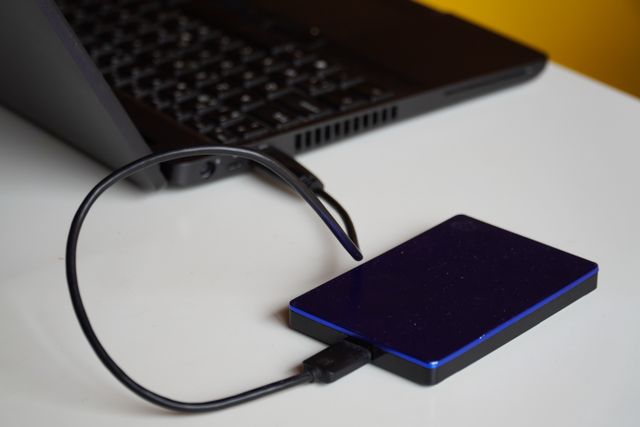
Back up all your data first. Google One provides automatic backup for Android devices and stores app data, call history, contacts, settings, SMS messages, photos and videos. Samsung users can access Samsung Cloud for device-specific backups. iPhone owners should use iCloud before they proceed. App-specific backups matter too, especially for WhatsApp and messaging services that maintain separate backup systems.
Remove your Google account from Android devices because of Factory Reset Protection. This security feature prevents unauthorized access after reset. It requires the last synced Google account credentials during setup. Go to Settings and select Accounts or Passwords & accounts. Tap your Google account and choose Remove account. iPhone users must sign out of their Apple ID through Settings. This disables Activation Lock.
Physical components require manual removal. Your SIM card stores contacts and call logs. It gives OTP access to banking and social media accounts. SD cards retain photos, documents and app files that factory reset ignores. Remove both cards before selling. This prevents data exposure.
Turn off Find My iPhone through Settings. Tap your name and select Find My, then disable the feature. This removes Activation Lock and allows the new owner full device access. Android users should remove their Google account to deactivate similar protections. Once you've completed what to delete before selling phone preparation, sell your used phone on CashMartIndia. Get the best price with instant payment and doorstep pickup. Delete saved passwords from browsers and remove payment methods from Google Pay, Apple Pay and stored cards.

Charge your device to at least 70% before you start the process of deleting everything from your phone. The complete wipe can take up to one hour. You'll need internet access to sign out of accounts during the final steps, so connect to WiFi or mobile data.
iPhone users should open Settings, tap General and select Transfer or Reset iPhone. Tap Erase All Content and Settings, then Continue. You'll face a decision about your eSIM: choose Keep eSIM and Erase Data if you're transferring service to another device, or erase both if you're selling the phone outright. Enter your device passcode and then your Apple Account password. The device will restart and display the Hello screen once the process is complete.
Android device paths vary by manufacturer. Most users should open Settings, go to System or General Management and select Reset Options. Choose Erase all data (factory reset) from there. Samsung devices may require you to remove your Samsung account to avoid post-reset lockouts. Confirm the erasure and enter your PIN when prompted.
Enable encryption through Settings under Security or Biometrics and security before you perform erase all data factory reset on Android. This renders residual data unreadable. Fill your storage with dummy files like videos or photos after the first reset for maximum protection, then reset again. This overwrites previous data sectors and makes forensic recovery virtually impossible.
Before selling your phone, understand that a simple factory reset isn't enough to protect your sensitive data from recovery by tech-savvy buyers.
Critical steps to secure your data:
The combination of account removal, encryption, and proper factory reset creates multiple security layers that make data recovery virtually impossible, protecting you from identity theft and privacy breaches when selling your device.
You now have everything needed to wipe your phone before selling it. Factory reset alone leaves your data vulnerable to recovery, but the complete process outlined above protects your privacy. Back up your data and remove all accounts. Take out physical cards and perform an encrypted wipe. Once you've completed these steps, sell your used phone on CashMartIndia. Get the best price with instant payment and doorstep pickup. Your sensitive information stays protected, and the new owner receives a clean device.
A factory reset is a necessary first step, but it's not always sufficient on its own. While modern smartphones use encryption that makes data recovery extremely difficult after a reset, older devices or those without encryption enabled may still have recoverable data. For maximum security, you should remove all accounts, enable encryption if available, perform a factory reset, and consider filling the storage with dummy files before doing a second reset.
On modern encrypted smartphones (iPhone and recent Android devices), data recovery after a proper factory reset is extremely difficult because the encryption keys are destroyed during the reset process. However, studies have shown that 35% of secondhand devices still contained recoverable data, often because users didn't complete all necessary steps before the reset, such as removing accounts or wiping external storage like SD cards.
Before resetting, back up all important data to cloud storage or your computer. Remove all accounts (Google, Apple ID, Samsung) to disable security locks like Factory Reset Protection. Sign out of all apps, delete saved passwords, and remove payment methods. Physically remove your SIM card and SD card, as these aren't affected by factory reset. Finally, disable features like Find My iPhone or Find My Device.
For maximum security, first enable encryption on your device if it isn't already encrypted. Perform a factory reset, then set up the phone again without restoring your data. Fill the entire storage with large dummy files like videos or photos, which overwrites the space where your old data existed. Finally, perform a second factory reset. This multi-step process makes forensic data recovery virtually impossible.
Most trade-in programs refurbish and resell the devices to other customers. This is why proper data wiping is critical—your phone will likely end up in someone else's hands. Companies typically perform their own factory resets, but you shouldn't rely solely on this. Always complete the full data deletion process yourself before handing over your device to ensure your personal information doesn't fall into the wrong hands.


50000+ - Devices Picked

0 Comments